
Bank Branch Finder
Find IFSC code, bank branch address, MICR, city and state details instantly by bank and branch name.
Bank Details Finder 2026: Free Tool to Find IFSC, MICR, SWIFT & Branch Details of Any Indian Bank
How many times have you stared at a bank transfer form wondering which code goes where? IFSC code for NEFT. MICR code for the cheque mandate. SWIFT code for the international wire. BSR code for the TDS challan. Most people know they need “some bank code” — but not which one, and definitely not how to find it fast. “your CKYC number speeds up new bank account opening too”
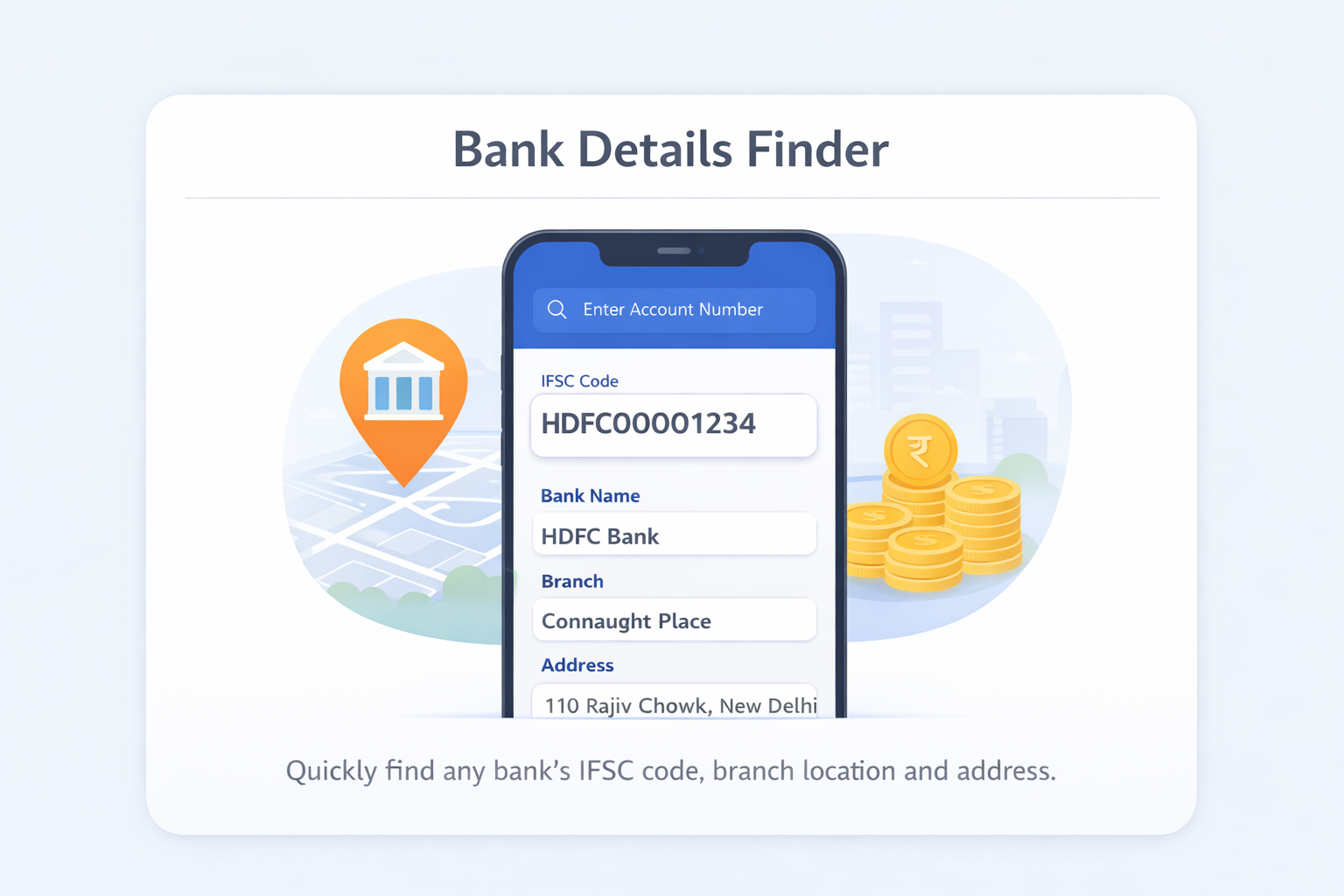
MoneyOra’s Bank Details Finder is built for exactly this situation. Select your bank, state, district, and branch — and in one result you get the IFSC code, MICR code, branch address, contact number, and state. “verify account details to avoid failed-transfer bank charges” No guesswork, no calling the bank, no navigating three different government portals.
This page explains what every bank code means, when you need each one, and how to find them using the Bank Details Finder. If you already have the IFSC code and just want to verify it, use the IFSC Code Finder instead.
Bank Details Finder vs IFSC Code Finder — Which to Use?
These two tools solve the same problem from opposite directions:
| Tool | You Start With | You Get | Best When |
|---|---|---|---|
| Bank Details Finder | Bank name + State + District + Branch | IFSC, MICR, address, contact | You don’t know the IFSC yet |
| IFSC Code Finder | 11-character IFSC code | Bank name, branch, MICR, address | You have the IFSC and need to verify it |
Use the Bank Details Finder when someone gives you their bank name and branch but not the IFSC. Use the IFSC Finder when you have the IFSC code and want to confirm the bank and branch are correct before a transfer.
How to Use MoneyOra’s Bank Details Finder — Step by Step
The tool uses a four-level dropdown search. It takes about 20 seconds from opening to result:
Step 1: Select the Bank Name
Open MoneyOra’s Bank Details Finder and choose the bank from the first dropdown. The list includes all 200+ banks covered — public sector, private, small finance, payment banks, regional rural banks, and foreign banks operating in India. Type a few letters to search faster.
Step 2: Select the State
After choosing the bank, the state dropdown populates automatically with only the states where that bank has branches. Select the correct state.
Step 3: Select the District
The district dropdown then shows only districts in that state where the selected bank has branches. Select the district.
Step 4: Select the Branch
The final dropdown shows all branches of that bank in the selected district. Choose the branch. If you’re unsure of the exact branch name, the address and contact number in the results will help you confirm.
Step 5: View the Result
The result card appears immediately — showing the IFSC code, MICR code, branch address, district, state, and contact information. Copy the IFSC code directly from the result to avoid typing errors.
Pro Tip: Don’t Know the Exact Branch Name?
If you’re not sure which branch your beneficiary uses, ask them to check their passbook cover or their bank’s mobile app under account details — the branch name is always listed there. Once you have the branch name, come back to the finder and get the rest. Before making card bill payments, it’s important to understand credit card charges and hidden fees that may apply to your account.
What Details Does the Bank Details Finder Show?
One search returns everything you’d normally need to look up separately. Here’s a breakdown of each field and why it matters:
| Detail Shown | Example | Used For |
|---|---|---|
| Bank Name | State Bank of India | Confirms you’ve selected the right institution |
| Branch Name | Bandra West Branch | Verifies the specific branch |
| IFSC Code | SBIN0011569 | NEFT, RTGS, IMPS, UPI backend transfers |
| MICR Code | 400002136 | Cheque clearing, ECS/NACH mandates |
| Branch Address | Plot 14, Hill Road, Bandra West, Mumbai 400050 | Physical verification, visiting the branch |
| District | Mumbai Suburban | Geographic confirmation |
| State | Maharashtra | State-level banking operations |
| Contact Number | 022-26401234 | Calling the branch directly for queries |
The combination of IFSC + MICR in one place is particularly useful for setting up EMI auto-debit mandates. Most NACH mandate forms require both codes — IFSC for online processing and MICR for the cheque processing backend. Use our Home Loan EMI Calculator or Personal Loan EMI Calculator to calculate your monthly payments, and get both codes in one lookup before setting up the mandate.
All 5 Bank Codes Explained — IFSC, MICR, SWIFT, BSR, and Branch Code
India’s banking system uses five different codes to identify bank branches — each for a different purpose. Most people know about IFSC. Fewer know about the others. Here’s the complete picture:
1. IFSC Code — Indian Financial System Code
The most commonly used bank code in everyday Indian banking. IFSC is an 11-character alphanumeric code (4 letters for bank + 0 + 6 alphanumeric for branch) assigned by the Reserve Bank of India to every bank branch that participates in electronic fund transfers.
- Used for: NEFT, RTGS, and IMPS transfers
- Format: HDFC0001234 (11 characters)
- Where to find it: Cheque top-left corner, passbook first page, bank app, MoneyOra Bank Details Finder
- Mandatory for: Adding a beneficiary for any bank-to-bank transfer
2. MICR Code — Magnetic Ink Character Recognition
A 9-digit numeric code printed at the bottom of cheques in magnetic ink. It is used by cheque-sorting machines to identify and route cheques through the physical clearing system.
- Used for: Cheque clearing, ECS mandates, NACH auto-debit setups
- Format: 400002136 (9 digits — first 3 = city, next 3 = bank, last 3 = branch)
- Where to find it: Bottom of your cheque leaf, MoneyOra Bank Details Finder
- Common city codes: 110 = Delhi, 400 = Mumbai, 560 = Bengaluru, 600 = Chennai, 700 = Kolkata, 411 = Pune, 500 = Hyderabad
3. SWIFT Code / BIC Code
An 8 or 11-character alphanumeric code used for international wire transfers. SWIFT stands for Society for Worldwide Interbank Financial Telecommunication. It is sometimes called the BIC (Bank Identifier Code) — both refer to the same code.
- Used for: Receiving international wire transfers, foreign remittances, overseas payments
- Format: SBIN IN BB (8-character head office code) or SBIN IN BB 040 (11-character branch-specific code)
- Structure: 4 letters (bank) + 2 letters (country, IN for India) + 2 characters (city/location) + optional 3 characters (branch)
- Example SWIFT codes: HDFC IN BB (HDFC Bank), ICIC IN BB (ICICI Bank), AXIS IN BB (Axis Bank)
- Where to find it: Bank’s official website, SWIFT’s global BIC directory, bank’s international banking desk
- Note: Not every branch has a SWIFT code — typically the head office or nodal branch handles international transfers for the bank
4. BSR Code — Basic Statistical Return Code
A 7-digit code assigned by the RBI to bank branches. This one is not used for transfers — it’s used for tax payments and government financial reporting.
- Used for: Filing TDS/TCS returns, income tax challan (ITNS 280/281/282), advance tax payments, government financial reporting
- Format: 7 digits — first 3 identify the bank, last 4 identify the branch
- Where to find it: Your bank’s TDS certificate (Form 16/16A), challan receipt after tax payment, RBI’s BSR code directory
- When you need it: When filing ITR and quoting TDS challan details, or when reconciling TDS paid through banks. The BSR code + deposit date + challan serial number = Challan Identification Number (CIN)
5. Branch Code
The last 6 characters of the IFSC code. It’s not a standalone code per se — it’s a component of IFSC. However, some internal bank systems and forms ask for the branch code separately.
- Format: 6 alphanumeric characters (the last 6 of the IFSC code)
- Example: From HDFC0001234 — the branch code is 001234
- Used for: Some internal bank forms, bank account opening forms, KYC documentation
Quick Comparison: All 5 Bank Codes at a Glance
| Code | Length | Format | Primary Use | Assigned By |
|---|---|---|---|---|
| IFSC | 11 characters | Alphanumeric | NEFT, RTGS, IMPS transfers | RBI |
| MICR | 9 digits | Numeric only | Cheque clearing, ECS/NACH mandates | RBI |
| SWIFT/BIC | 8 or 11 characters | Alphanumeric | International wire transfers | SWIFT (ISO 9362) |
| BSR | 7 digits | Numeric only | TDS/tax challans, government reporting | RBI |
| Branch Code | 6 characters | Alphanumeric | Last 6 chars of IFSC, internal bank use | RBI (part of IFSC) |
When Do You Need Which Bank Code? — Practical Scenarios
Most people interact with only one or two bank codes in everyday life. But there are situations where you’ll need all of them. Here’s a clear guide matched to real-life scenarios:
Paying Rent or Salary via NEFT/IMPS
You need the recipient’s IFSC code and bank account number. That’s it. Use the Bank Details Finder to look up the IFSC by selecting the bank and branch. Then add them as a beneficiary in your banking app. Once the beneficiary activation period (4–24 hours) is done, transfer using NEFT for routine amounts or IMPS for instant transfer.
Making a High-Value Property or Business Payment via RTGS
You need the IFSC code. RTGS requires a minimum of ₹2 lakh. Same lookup process — bank, state, district, branch. Verify carefully before initiating, since RTGS transactions are irreversible once processed.
Setting Up SIP, EMI Auto-Debit (NACH Mandate)
You need both IFSC code and MICR code. NACH mandate forms (for SIP bank mandates, home loan EMI auto-debit, insurance premium deduction) require both. The MICR code identifies your branch for the physical cheque-based part of the mandate registration. Use MoneyOra’s SIP Calculator to decide your SIP amount, then find both codes in one lookup with the Bank Details Finder.
Receiving an International Wire Transfer (NRI or Overseas Payment)
You need the SWIFT code of your bank. Share it with the sender along with your account number, bank name, and branch address. Your bank’s SWIFT code is typically listed on their official website under “International Banking” or “Forex services.” Not all branches have individual SWIFT codes — use your bank’s nodal branch SWIFT code if your specific branch doesn’t have one.
Paying TDS, Advance Tax, or Income Tax Challan
You need the BSR code when filing ITR and quoting TDS challan details. After paying tax through a bank, the receipt shows the CIN (Challan Identification Number) = BSR code + date of deposit + challan serial number. You’ll need to quote this in Form 26AS or while filing your ITR to match the TDS deduction.
Filling Bank Account Opening or KYC Forms
Some forms ask for the branch code separately — which is the last 6 characters of the IFSC. If the form asks for “branch code,” take the IFSC from the Bank Details Finder and use the last 6 characters.
Linking Your Bank Account for EPF, NPS, or PPF
When linking your bank account on the EPFO portal, NPS portal, or PPF account with a bank, you need the IFSC code. Plan your retirement corpus with MoneyOra’s EPF Calculator, NPS Calculator, and PPF Calculator — and verify your IFSC before submitting.
Which Banks Does MoneyOra’s Bank Details Finder Cover?
The tool covers all bank branches that are registered with the RBI and participate in India’s electronic payment systems. Here’s the full scope:
Public Sector Banks (12 Banks)
State Bank of India, Punjab National Bank, Bank of Baroda, Canara Bank, Union Bank of India, Bank of India, Indian Bank, Central Bank of India, UCO Bank, Indian Overseas Bank, Punjab & Sind Bank, Bank of Maharashtra — all branches across all states and union territories.
Private Sector Banks
HDFC Bank, ICICI Bank, Axis Bank (UTIB), Kotak Mahindra Bank, IndusInd Bank, Yes Bank, Federal Bank, IDFC FIRST Bank, RBL Bank, South Indian Bank, Bandhan Bank, Karnataka Bank, Karur Vysya Bank, City Union Bank, Dhanlaxmi Bank, Tamilnad Mercantile Bank, Jammu & Kashmir Bank, and others.
Small Finance Banks
AU Small Finance Bank, Equitas Small Finance Bank, Ujjivan Small Finance Bank, Jana Small Finance Bank, ESAF Small Finance Bank, Suryoday Small Finance Bank, Utkarsh Small Finance Bank, Capital Small Finance Bank, and others licensed by RBI.
Payment Banks
India Post Payments Bank (IPPB), Airtel Payments Bank, Fino Payments Bank, Jio Payments Bank — those that support NEFT/IMPS transfers.
Regional Rural Banks (RRBs)
All Regional Rural Banks sponsored by public sector banks, including Prathama UP Gramin Bank, Baroda UP Gramin Bank, Kerala Gramin Bank, Andhra Pradesh Grameena Vikas Bank, and others registered with RBI for electronic transfers.
Urban Co-operative Banks
Major urban co-operative banks that are part of the NEFT/RTGS network, including Saraswat Bank, Cosmos Bank, TJSB Sahakari Bank, and others.
Foreign Banks with Indian Branches
Citibank India, HSBC India, Standard Chartered India, Deutsche Bank India, DBS Bank India, Barclays India, and other foreign banks with RBI licenses operating in India.
6 Other Ways to Find Bank Branch Details in India
MoneyOra’s Bank Details Finder is the fastest method. But here are all the options, so you always know where to look:
1. Cheque Book
The most reliable offline source. The IFSC code is on the top-left of every cheque leaf. The MICR code is at the bottom in magnetic ink. The branch name and address are usually on the top of the cheque. If your cheque book is current and post-merger, this is the most authoritative source.
2. Bank Passbook
The first page shows your account number, account holder name, branch name and address, and IFSC code. Some passbooks also show the MICR code. Passbooks issued before 2021 may have outdated IFSC codes for branches affected by the 2019–2020 bank mergers.
3. Bank’s Official Website
Every major bank has a branch/IFSC locator on their website. SBI’s is at sbi.co.in, HDFC at hdfcbank.com, ICICI at icicibank.com. The process: select state → district → branch → get IFSC and address. Slower than MoneyOra’s finder but useful if you want confirmation directly from the bank’s own website.
4. Bank’s Mobile App
Your bank’s mobile banking app shows your own branch’s IFSC code and details in the account profile or account details section. YONO (SBI), HDFC Bank Mobile Banking, iMobile Pay (ICICI), Kotak Mobile Banking — all show branch IFSC in account details. Good for your own branch, not for looking up someone else’s branch.
5. RBI’s Official IFSC Portal
The RBI’s IFSC/MICR search tool is the primary data source. It’s authoritative but not the most user-friendly interface. Useful for high-value transactions where you want the data directly from the central bank, or for researching less-common branches.
6. Calling the Branch Directly
The contact number shown in MoneyOra’s Bank Details Finder result allows you to call the branch directly and confirm their IFSC or any other details. Useful when you’re unsure whether the branch name in the finder matches your beneficiary’s branch, especially for older or rural branches.
NEFT, RTGS, IMPS, and UPI — Which Payment System Needs Which Bank Details?
Every payment system in India has different information requirements. Here’s a clean breakdown so you know exactly what to look up before initiating any transfer:
| Payment System | Bank Details Required | Min Amount | Max Amount | Speed | Charges (Online) |
|---|---|---|---|---|---|
| NEFT | Account number + IFSC code | ₹1 | No cap | Batch (30 min) | Free |
| RTGS | Account number + IFSC code | ₹2,00,000 | No cap | Real-time | Free |
| IMPS | Account number + IFSC code (or mobile + MMID) | ₹1 | ₹5,00,000 | Instant | ₹2.50–₹25 + GST |
| UPI | UPI ID (VPA) or mobile number — no IFSC needed | ₹1 | ₹1,00,000 (₹2L for verified) | Instant | Free |
| SWIFT (International) | Account number + SWIFT/BIC code + bank address | Bank minimum | RBI/Bank limit | 1–5 business days | ₹500–₹2,000 + forex markup |
| ECS/NACH (Auto-debit) | Account number + IFSC + MICR code | As per mandate | As per mandate | Scheduled | Bank-specific |
For all transfers except UPI, you need the IFSC code. For cheque-related clearing and auto-debit mandates, you also need the MICR code. For international transfers, you need the SWIFT code. The Bank Details Finder gives you IFSC and MICR in one result — use MoneyOra’s tool, then your bank’s website for the SWIFT code.
For investment planning alongside your transfers — the FD Calculator shows how much your fixed deposit earns, the RD Calculator tracks recurring deposits, and the Lumpsum Calculator projects mutual fund returns on a one-time investment.
How Bank Mergers Changed Branch Details Across India
The 2019–2020 public sector bank consolidation was the biggest shake-up in Indian banking history. Ten banks merged into four. Millions of bank accounts moved under new parent banks. And thousands of IFSC codes changed.
The Major Mergers (2019–2020)
| Banks That Merged | Into | Effective Date | Old IFSC Prefix | New IFSC Prefix |
|---|---|---|---|---|
| Allahabad Bank | Indian Bank | April 1, 2020 | ALLA | IDIB |
| Oriental Bank of Commerce + United Bank of India | Punjab National Bank | April 1, 2020 | ORBC, UTBI | PUNB |
| Syndicate Bank | Canara Bank | April 1, 2020 | SYNB | CNRB |
| Andhra Bank + Corporation Bank | Union Bank of India | April 1, 2020 | ANDB, CORP | UBIN |
| Dena Bank + Vijaya Bank | Bank of Baroda | April 1, 2019 | BKDN, VIJB | BARB |
What This Means for You
If you saved a beneficiary with an old IFSC code (like an ALLA branch for Allahabad Bank or a CORP branch for Corporation Bank), that code is now likely deactivated. Banks had transition periods of 12–24 months where old codes still worked — but those windows have closed for most branches.
Before sending money to an account where the person had an old merged bank, use the Bank Details Finder to search for their current branch under the new parent bank. For example, if your beneficiary used to have an Allahabad Bank account, their branch is now part of Indian Bank (IDIB prefix). Look up the branch in Indian Bank’s list with the same location.
The RBI mandated that customers be notified and given time to update their bank records — but in practice, many people still have old IFSC codes saved in their phone contacts or banking apps from years ago. A quick verification before a large transfer takes 20 seconds.
Common Mistakes When Sharing or Using Bank Details
Sharing Account Number Without IFSC
An account number alone is not enough for a transfer. Without the IFSC code, the sending bank has no way to route the payment to the right branch. Always share account number + IFSC together — both are required.
Giving the Wrong Branch’s IFSC
Every branch has its own unique IFSC. If you have a savings account at SBI’s Koramangala branch and give someone the IFSC for SBI’s Indiranagar branch (same city, same bank, different code), the transfer either fails or goes to the wrong branch. The account number drives where it lands within the branch — but the IFSC must match that specific branch.
Using MICR Code in the IFSC Field
MICR codes are 9 digits, numeric only. IFSC codes are 11 alphanumeric characters starting with 4 letters. If you’re filling an online form and paste a 9-digit number into the IFSC field, the form will reject it. They are completely different codes. The Bank Details Finder shows both clearly so you can use the right one in the right field.
Using IFSC for International Transfers
IFSC codes work only within India’s domestic payment networks (NEFT, RTGS, IMPS). For international transfers, the sender’s bank needs your SWIFT/BIC code — not your IFSC. Giving someone your IFSC for a foreign remittance will not work and will cause the transfer to fail or be returned.
Not Updating a Beneficiary After Bank Merger
If a beneficiary’s bank was part of the 2019–2020 mergers, their IFSC code has almost certainly changed. Old IFSC codes for Allahabad Bank, Syndicate Bank, OBC, United Bank, Andhra Bank, Corporation Bank, Dena Bank, and Vijaya Bank are no longer active. Verify before transferring.
Skipping the Branch Code When Submitting Government Forms
Forms on government portals (like EPFO, PM Kisan, scholarship portals) often require the IFSC code. Some also ask for the branch code separately. The branch code is the last 6 characters of your IFSC. Look up your IFSC in the Bank Details Finder and extract the last 6 characters if the form asks for branch code separately.
Pro Tips for Sharing and Verifying Bank Details
Keep a Screenshot of Your Own Bank Details
Take a screenshot of your own bank’s IFSC code, MICR code, and branch address from the Bank Details Finder result and save it in your phone’s gallery. When someone asks for your bank details — for salary setup, scholarship applications, vendor payments, or property transactions — you can share it immediately without searching every time.
Always Verify Large Transfers With Two Sources
For RTGS transfers above ₹5 lakh, cross-check the IFSC using both MoneyOra’s Bank Details Finder and the bank’s official website. Two-source verification takes an extra 2 minutes and removes all risk of routing errors on high-value payments.
Use the Contact Number for Ambiguous Branch Names
Sometimes branches have similar names — “SBI Main Branch” and “SBI City Branch” can both exist in the same city. If you’re unsure which branch your beneficiary uses, use the contact number from the Bank Details Finder result to call the branch and confirm before transferring.
Know the Difference for NRI Accounts
NRE (Non-Resident External) and NRO (Non-Resident Ordinary) accounts use the same IFSC code as the branch where the account is held. For receiving international remittances into these accounts, share both the IFSC (for domestic routing) and SWIFT code (for the international leg of the transfer). Both refer to the same branch.
Use MoneyOra’s Full Toolkit for Every Financial Decision
Once you have the right bank codes sorted, use MoneyOra’s calculator suite to handle the financial planning side. For stock market investors: Brokerage Calculator, Stop Loss Calculator, Position Size Calculator, P/E Ratio Calculator, Stock Return Calculator, Dividend Calculator, Option Price Calculator, and Stock Average Calculator. For savings: SWP Calculator and CAGR Calculator. For loan planning: Car Loan EMI and EMI Calculator.
Conclusion
Bank transfers, mandate setups, tax payments, and international remittances each need a different bank code. Most people get through life knowing only the IFSC — but when the NACH mandate form asks for both IFSC and MICR, or when your NRI friend asks for your SWIFT code, knowing where to find each code quickly is genuinely useful.
MoneyOra’s Bank Details Finder covers the two most-used codes — IFSC and MICR — for 200+ banks and 1.5 lakh+ branches. Select bank → state → district → branch and you have both codes plus the full branch address in under 20 seconds. Free, no login, works 24×7.
If you already have the IFSC code and want to verify it, use the IFSC Code Finder. And for everything else — from planning your home loan EMI to calculating SIP returns to checking brokerage on a stock trade — MoneyOra’s full calculator suite is one click away:
- Loans: EMI Calculator · Home Loan EMI · Car Loan EMI · Personal Loan EMI
- Savings & Investments: SIP · Lumpsum · FD · RD · SWP · CAGR
- Retirement: PPF · NPS · EPF
- Stock Market: Brokerage · Margin · Stock Return · Stock Average · P/E Ratio · Dividend · Option Price · Stop Loss · Position Size
All tools are free. No login. No ads. Just clear answers for every financial calculation you need.
Frequently Asked Questions About Bank Details Finder
A bank details finder is an online tool.
Select bank, state, district, and branch.
It returns IFSC and MICR codes.
It also shows branch address and contact details.
Works without needing IFSC beforehand.
Bank Details Finder works from bank to IFSC.
Select bank → state → district → branch.
It returns IFSC and MICR codes.
IFSC Finder works in reverse.
You enter IFSC to get branch details.
IFSC is for domestic transfers in India.
Used in NEFT, RTGS, and IMPS.
SWIFT is for international transfers.
Both are not interchangeable.
BSR is a 7-digit RBI code.
Used for tax payments.
Required in TDS and income tax filings.
Not used for fund transfers.
Old IFSC codes may be deactivated.
Bank mergers update branch codes.
Transactions fail with old codes.
Search updated branch details.
No, UPI does not need MICR.
Only UPI ID or mobile number is required.
MICR is used for cheque and mandates.
Currently, SWIFT codes are not shown.
Use bank's official website.
Check international banking section.
SWIFT varies by bank branch.
200+ banks are covered.
Over 1.5 lakh branches included.
Includes PSU, private, and co-operative banks.
Also includes foreign banks in India.
Yes, data is updated regularly.
Includes mergers and new branches.
Also includes IFSC updates.
Cross-check for recent changes.
Share your name as per bank records.
Provide account number.
Provide bank and branch name.
Share IFSC code.
For international transfers, share SWIFT code.
Never share OTP, PIN, or passwords.