SWP Calculator
Project monthly withdrawals and see whether an assumed investment balance runs out.
By Mukesh Rajbhar. Calculation methodology prepared 23 November 2026. Educational estimates.
SWP Calculator inputs
On this page
What the swp calculator measures
A systematic withdrawal plan sells investment units to provide cash. A withdrawal can include your own capital as well as gains. The calculator tracks both the closing investment and cumulative withdrawals, so a regular payment is not mistaken for interest earned.
Understand the inputs
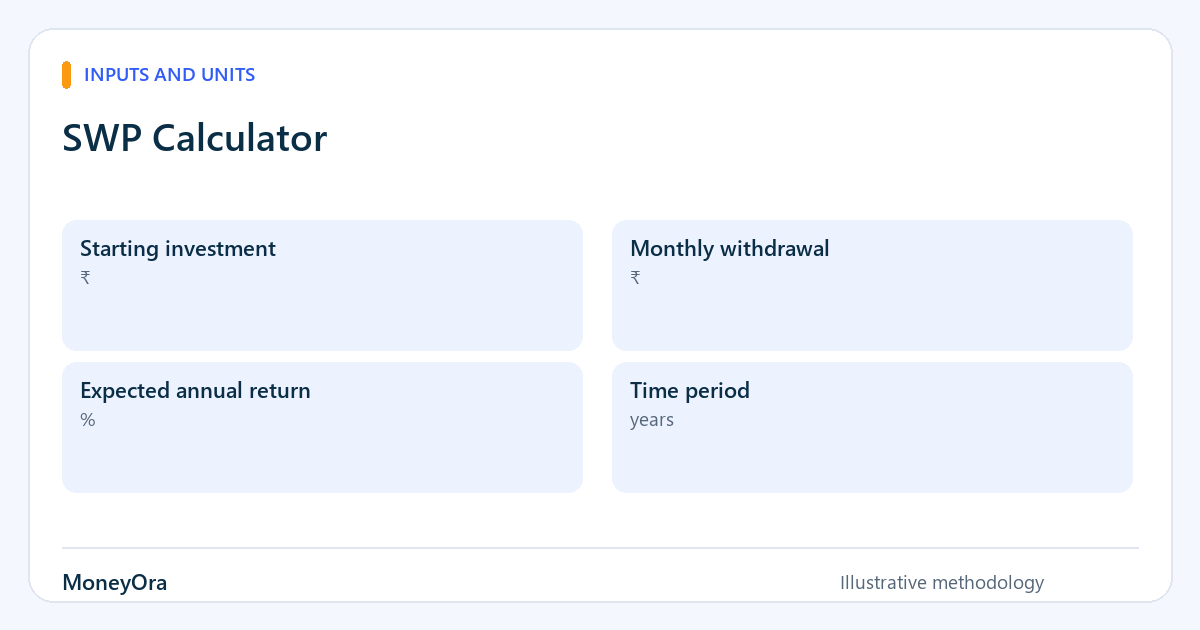
Starting investment
Enter the amount available before the first month of growth and withdrawal. Enter a rupee amount using digits, without a currency symbol or comma. The result uses Indian number grouping, while the calculation retains precision until it is displayed.
Monthly withdrawal
Use a fixed monthly amount. Automatic inflation increases are excluded. Enter a rupee amount using digits, without a currency symbol or comma. The result uses Indian number grouping, while the calculation retains precision until it is displayed.
Expected annual return
This assumes an even return. Real markets may deliver losses early in the withdrawal period. Type the percentage itself, such as 8 for eight percent. Keep the quoted period consistent with the label; a monthly percentage and an annual percentage are different inputs.
Time period
Enter complete years. The calculation uses the same rate throughout this period. Use a whole number for this period. The tool does not infer opening dates, holiday adjustments or partial periods from the duration alone.
How to use the swp calculator
Enter the starting investment and the amount you plan to withdraw each month. Add a return scenario and the period to test. This SWP calculator applies monthly growth before the withdrawal. Run a lower-return scenario without changing the withdrawal, then test a smaller withdrawal separately. Look for whether the balance lasts through the period rather than judging the plan only by its first year's withdrawals.
SWP Calculator formula
Monthly rate i = (1 + annual return / 100)^(1/12) - 1. Each month: grow the opening balance, then withdraw the smaller of the planned amount and the available balance.
Calculations retain precision until display. Currency amounts are rounded to two decimal places. Displayed percentages and quantities may use more decimal places. A lender or provider can round each payment separately, so its statement can differ from this estimate.
SWP Calculator example
At a 0% return, ₹12,00,000 with a ₹10,000 monthly withdrawal funds 120 complete payments. The balance then reaches zero. Setting a positive return extends the scenario, while a negative return can bring depletion forward.

How to read the result
The remaining balance is what is left after modelled monthly growth and withdrawals. If the requested withdrawal exceeds the available balance, the model pays only what remains instead of creating a negative investment. A constant-return projection cannot show sequence-of-returns risk: early losses combined with withdrawals can deplete an actual holding sooner. Withdrawn cash and the ending balance are different parts of the scenario.
A useful comparison
A withdrawal funded by selling units can include both gains and the money originally invested. Comparing the annual withdrawal with an assumed annual return can therefore hide capital depletion. Follow the remaining balance through the schedule, including the final smaller payment if the account cannot meet the full planned withdrawal.
The sequence of market changes is particularly relevant once withdrawals begin. A decline early in retirement requires selling more units for the same cash payment. Later recovery then applies to fewer remaining units. A steady monthly return with the same average does not reproduce that path.
This tool holds the cash withdrawal constant. If living costs rise, an unchanged rupee payment buys less each year. Adding automatic annual increases would create a different cash flow model. Keep an emergency reserve separate from the balance you plan to draw down, and compare a lower return scenario with the base assumption before treating the projected payment period as dependable income.
Assumptions and limits
Return order matters during withdrawals. Early losses followed by recovery can produce a different outcome from steady average growth. Tax, exit loads and increases in living costs are excluded. A balance that lasts under one assumption is not proof that the plan is sustainable.
SWP Calculator FAQs
What does the depletion month mean?
It is the first month in this scenario when the planned withdrawal cannot be fully funded or leaves no balance. The final payment can be smaller than the requested amount. Actual depletion depends on market returns and costs.
Are my calculator inputs stored?
Ordinary numeric inputs are calculated in your browser. This calculator does not save those entries to browser storage or send them with a calculation request. A separate reference-rate request contacts a data provider through the server. Read the Privacy Policy for hosting and provider details.
What should I check if a result looks different from my statement?
Check starting investment, monthly withdrawal, expected annual return, then compare the exact calculation convention stated above. A different period, unit, rounding rule or excluded charge can change the result. Send the page URL and a reproducible numerical example to support@moneyora.in if the arithmetic still appears wrong.
Sources and corrections
Use the linked primary source to verify product terms and current rules. The source explains the underlying subject; it does not certify this calculator. Report a calculation problem with the inputs and expected result so the example can be checked.
Revision prepared 24 November 2026: input and result guidance updated; formula and worked example retained.
Related finance calculators tools
Finance Calculators
SIP Calculator
Estimate the future value of a monthly investment, with your contribution timing made explicit.
Lumpsum Calculator
Project how one investment could grow and compare its value after inflation.
FD Calculator
Estimate a cumulative fixed deposit maturity with a selected compounding frequency.
RD Calculator
Estimate recurring deposit maturity from regular monthly instalments.
PPF Calculator
Explore a PPF balance with annual deposits and an explicit interest assumption.
EPF Calculator
Project an EPF balance using the contributions actually credited to the EPF account.
NPS Calculator
Estimate an NPS corpus and an illustrative split between cash and annuity purchase.
EMI Calculator
Calculate a reducing balance loan instalment, total interest and repayment schedule.
CAGR Calculator
Find the annualised growth rate between an opening value and a closing value.
No matching tool. Try a shorter search or choose another category.