
IFSC Code 2026: Best Guide to Find Any Bank's IFSC & MICR Code Fast
Every time you transfer money online — whether paying rent, settling an invoice, or sending funds to family — you need an IFSC code. Without it, the transaction simply won’t go through. Yet most people have no idea what those 11 characters actually mean, where to find them quickly, or why entering the wrong one can delay a payment by days. “your CKYC number speeds up new bank account opening too”
This guide covers everything: what an IFSC code is, how it’s structured, how to find it in seconds, what MICR codes are, and how NEFT, RTGS, and IMPS each use it differently. “verify account details to avoid failed-transfer bank charges” Whether you’re doing your first bank transfer or you’ve been banking online for years and just want a quick reference, you’ll find clear answers here.
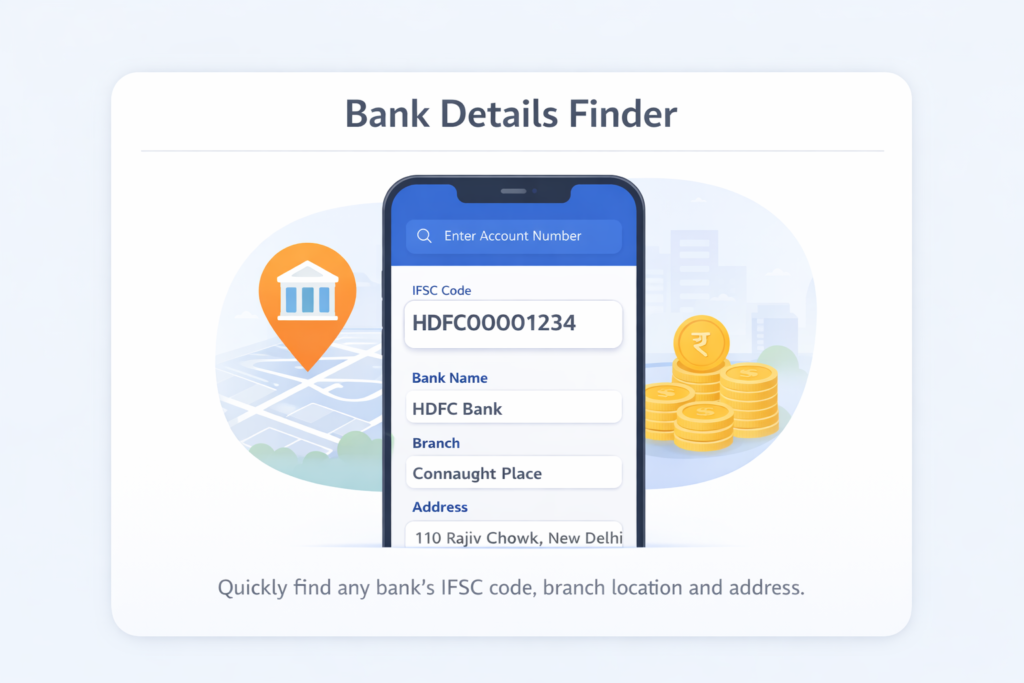
You can also use MoneyOra’s free IFSC Code Finder and Bank Details Finder to look up any branch’s details instantly — no sign-up needed.
What Is an IFSC Code?
IFSC stands for Indian Financial System Code. It is an 11-character alphanumeric code assigned by the Reserve Bank of India (RBI) to every bank branch that participates in electronic fund transfers across India.
Think of it as a postal address — but for your bank branch. When you send money online, the banking system uses the IFSC code to route the transaction to exactly the right branch, at exactly the right bank, without any manual intervention.
Every branch gets its own unique IFSC code. So the SBI branch in Andheri, Mumbai has a different code from the SBI branch in Koramangala, Bangalore — even though both are the same bank. This branch-level specificity is what makes digital transfers reliable.
According to Wikipedia, the IFSC system is used across India’s three main inter-bank payment rails: NEFT (National Electronic Funds Transfer), RTGS (Real-Time Gross Settlement), and IMPS (Immediate Payment Service).
Why Does RBI Manage IFSC Codes?
The RBI’s National Clearing Cell oversees all electronic fund transfers. The IFSC code helps the RBI track, monitor, and route transactions without errors. When a transfer goes through, the system reads the destination IFSC, identifies the exact bank and branch, and credits the beneficiary’s account. There’s no room for ambiguity.
It also works the other way — the IFSC of the sending branch is recorded, giving the RBI a complete audit trail of every inter-bank transaction in the country.
How IFSC Code Is Structured — Breaking Down All 11 Characters
Every IFSC code follows the same format. Once you understand the structure, you can read any IFSC code and know exactly which bank and branch it refers to.
Here’s an example: HDFC0000043 — this is the IFSC code for HDFC Bank’s Saket branch in New Delhi.
| Position | Characters | Meaning | Example |
|---|---|---|---|
| 1st – 4th | 4 alphabets | Bank code (abbreviation of bank name) | HDFC = HDFC Bank |
| 5th | 0 (zero) | Reserved for future use by RBI — always zero | 0 |
| 6th – 11th | 6 alphanumeric | Branch-specific code | 000043 = Saket branch |
So for HDFC0000043: “HDFC” identifies the bank, “0” is the placeholder, and “000043” pinpoints the exact branch. Similarly, for SBIN0011569, “SBIN” is State Bank of India, and “011569” identifies a specific SBI branch in Gurugram, Haryana.
One thing to know: bank codes are standardized by RBI. ICICI Bank is always “ICIC”, Axis Bank is “UTIB”, Punjab National Bank is “PUNB”, and so on. The bank code never changes unless the bank itself merges or rebrands.
How to Find IFSC Code — 5 Easy Ways
You don’t need to call your bank or visit a branch to find an IFSC code. Here are five methods, ranked from fastest to most reliable:
1. MoneyOra IFSC Code Finder (Fastest)
The easiest option is using MoneyOra’s IFSC Code Finder. Just select your bank name, state, district, and branch. It shows the IFSC code, MICR code, branch address, and contact number — all in one place, for free.
2. Your Cheque Book
Look at any cheque from your bank. The IFSC code is printed on the top-left corner of the cheque leaf, right below your bank’s name and branch address. It’s in clear print — you can’t miss it. This is the most reliable method since the cheque is an official bank document.
3. Your Bank Passbook
The first page of your passbook (the account details page) usually shows the branch’s IFSC code along with your account number and branch address. If your passbook is more than 5 years old, double-check on the bank’s website — codes can change after mergers.
4. Your Bank’s Official Website or Mobile App
All major banks have an IFSC lookup feature on their websites. HDFC Bank, SBI, ICICI Bank, Axis Bank, Kotak Mahindra — all let you search by state, city, and branch name. The mobile banking app usually shows your own branch’s IFSC code right in the account details section.
5. RBI’s Official IFSC Portal
The RBI’s IFSC/MICR search portal is the authoritative source for all bank branch codes in India. It’s not the slickest interface, but it’s the most official one. Good for verifying codes before large transactions.
NEFT vs RTGS vs IMPS — Which One Should You Use?
The IFSC code is mandatory for all three fund transfer methods. But each method works differently, has different limits, and suits different situations. Here’s a clean comparison based on 2025-26 RBI and NPCI data:
| Feature | NEFT | RTGS | IMPS |
|---|---|---|---|
| Full Form | National Electronic Funds Transfer | Real-Time Gross Settlement | Immediate Payment Service |
| Managed by | RBI | RBI | NPCI |
| Minimum Amount | ₹1 | ₹2,00,000 | ₹1 |
| Maximum Amount | No limit (bank-specific daily cap) | No upper limit (bank-specific) | Up to ₹5,00,000 (varies by bank) |
| Settlement | Batch-based, every 30 min | Real-time, individual | Real-time, instant |
| Availability | 24×7, 365 days | 24×7, 365 days (since Dec 2020) | 24×7, 365 days |
| Online Charges | Free (RBI waived in Jan 2020) | Free online (branch: ₹25–₹50 + GST) | ₹2.50 to ₹25 + 18% GST (varies) |
| Best For | Routine transfers, any amount | Large urgent transfers (₹2L+) | Instant personal transfers up to ₹5L |
Quick rule of thumb: Use NEFT for anything routine where you’re not in a rush. Use RTGS when you need to send ₹2 lakh or more immediately — like a property down payment. Use IMPS when you need a small-to-mid-size transfer credited within seconds, any time of day.
All three require the recipient’s IFSC code. You can also use MoneyOra’s EMI Calculator to plan your loan repayments, and our Personal Loan EMI Calculator to see monthly instalments before you borrow.
What About UPI?
UPI (Unified Payments Interface), managed by NPCI, is technically separate — it uses Virtual Payment Addresses (VPAs) rather than IFSC codes directly. But under the hood, UPI transactions are settled through the IMPS infrastructure, so IFSC codes are still involved at the backend. For direct bank-to-bank transfers, NEFT, RTGS, and IMPS remain the standard routes.
IFSC Code vs MICR Code — What’s the Difference?
These two codes often appear side by side on cheques, and people frequently mix them up. They serve completely different purposes.
| Criteria | IFSC Code | MICR Code |
|---|---|---|
| Full Form | Indian Financial System Code | Magnetic Ink Character Recognition |
| Length | 11 characters (alphanumeric) | 9 digits (numeric only) |
| Used For | Online fund transfers (NEFT, RTGS, IMPS) | Cheque processing and clearing |
| Assigned by | Reserve Bank of India (RBI) | Reserve Bank of India (RBI) |
| Structure | 4-letter bank code + 0 + 6-char branch code | 3 digits city + 3 digits bank + 3 digits branch |
| Where Found | Cheque top-left, passbook, bank website | Bottom of cheque leaf (printed in magnetic ink) |
| Electronic Use | Mandatory for all digital transfers | Used in ECS (Electronic Clearing System) |
The MICR code at the bottom of a cheque is what allows cheque-processing machines to read and verify cheques automatically. The magnetic ink contains the MICR digits, which the machine scans to identify the city, bank, and branch before clearing the cheque.
So: IFSC is for digital transfers, MICR is for physical cheques. Both identify your bank branch, just for different systems.
You can find both codes using MoneyOra’s Bank Details Finder, which shows IFSC, MICR, and full branch address in one search.
How to Transfer Money Using IFSC Code — Step by Step
The process is largely the same across banks, whether you’re using SBI’s YONO app, HDFC Bank’s NetBanking, or ICICI’s iMobile Pay. Here’s what to do:
Step 1: Log In to Your Net Banking or Mobile App
Open your bank’s app or website and log in with your credentials. Make sure you’re on a secure network — avoid public Wi-Fi for transfers.
Step 2: Go to Fund Transfer or Payments
Look for options like “Transfer Money,” “Fund Transfer,” or “NEFT/RTGS/IMPS” in the menu. Most apps make this prominent on the home screen.
Step 3: Add a Beneficiary
Before your first transfer to someone, you need to add them as a beneficiary. You’ll need their full name, bank account number, bank name, and IFSC code. Most banks have a waiting period (4 to 24 hours) after adding a new beneficiary before you can transfer funds — this is a security measure.
Step 4: Enter Transfer Details
Select the beneficiary, choose the transfer type (NEFT, RTGS, or IMPS), enter the amount, and add a brief remark if needed. Double-check the account number and IFSC before confirming.
Step 5: Confirm with OTP
Your bank will send a One Time Password (OTP) to your registered mobile number. Enter it to authorize the transaction. The transfer happens in real time (RTGS/IMPS) or within the next batch window (NEFT).
Transferring via SMS / IMPS
Some banks still support SMS-based IMPS transfers. For this, you need to register your mobile number for mobile banking to get an MMID (Mobile Money Identifier) and MPIN. Once set up, you can initiate transfers by sending a formatted SMS — useful in areas with poor internet connectivity.
Planning a home loan? Use MoneyOra’s Home Loan EMI Calculator to see your monthly outflow, or the Car Loan EMI Calculator for vehicle financing estimates.
IFSC Code Format for Popular Banks in India
Each bank has its own 4-letter code that begins every IFSC. Here are the bank codes for the most commonly used banks in India as of 2026:
| Bank Name | IFSC Bank Code (First 4 Letters) | Example IFSC |
|---|---|---|
| State Bank of India (SBI) | SBIN | SBIN0001234 |
| HDFC Bank | HDFC | HDFC0000043 |
| ICICI Bank | ICIC | ICIC0000027 |
| Axis Bank | UTIB | UTIB0001234 |
| Punjab National Bank (PNB) | PUNB | PUNB0001234 |
| Bank of Baroda | BARB | BARB0001234 |
| Canara Bank | CNRB | CNRB0001995 |
| Kotak Mahindra Bank | KKBK | KKBK0001234 |
| Union Bank of India | UBIN | UBIN0001234 |
| Bank of India | BKID | BKID0001234 |
| IndusInd Bank | INDB | INDB0001234 |
| Yes Bank | YESB | YESB0001234 |
| Federal Bank | FDRL | FDRL0001234 |
| IDFC FIRST Bank | IDFB | IDFB0001234 |
| RBL Bank | RATN | RATN0001234 |
To find the complete IFSC code for a specific branch of any bank above, use MoneyOra’s IFSC Code Finder — select the bank, state, district, and branch, and you’ll get the full code along with the branch address.
What Happens to IFSC Codes After Bank Mergers?
This is something many people miss. When two banks merge — like Allahabad Bank merging into Indian Bank, or Dena Bank merging into Bank of Baroda — the IFSC codes of the merged bank eventually get updated. The old codes may still work for a transition period, but relying on them long-term is risky.
If you haven’t used a particular beneficiary in a while and their bank went through a merger, verify their IFSC code before sending money. A quick search on MoneyOra or the recipient’s bank website takes 30 seconds and can save a lot of hassle.
Common Mistakes People Make with IFSC Codes
These are real errors that cause delayed or failed transactions. Most are avoidable:
1. Typing the IFSC Code Manually
Copy-pasting is always safer than typing. One wrong letter or digit — say “0” instead of “O” (zero vs letter O) — and the transaction either fails or, in rare cases, goes to the wrong account. Always copy the IFSC from a verified source or use a lookup tool.
2. Using an Old or Outdated IFSC Code
After bank mergers, many old IFSC codes are deactivated within 12–24 months. Codes from passbooks issued before 2020 (Vijaya Bank, Dena Bank, Allahabad Bank, etc.) are very likely outdated. Always verify.
3. Confusing IFSC with MICR
Both codes are on your cheque. The IFSC code is alphanumeric (letters + numbers) and appears at the top. The MICR code is purely numeric and appears at the bottom in magnetic ink. Using MICR where IFSC is required, or vice versa, will always cause an error.
4. Using the Head Office IFSC for a Different Branch
Each branch has its own unique IFSC. The IFSC of SBI’s Mumbai Main Branch is not the same as SBI’s Malad Branch. If your beneficiary has their account at a specific branch, you need that specific branch’s IFSC — not the bank’s head office code.
5. Not Verifying After Mergers
A beneficiary saved in your bank app 3 years ago may now have a different IFSC if their branch was affected by a merger or restructuring. Check before transferring, especially for large amounts.
6. Attempting RTGS Below ₹2 Lakh
RTGS has a minimum transaction limit of ₹2 lakh set by RBI. If you try to transfer ₹50,000 via RTGS, the transaction will be rejected. Use NEFT or IMPS for smaller amounts instead.
Pro Tips for Safe and Fast Bank Transfers
Always Do a Small Test Transfer First
When adding a new beneficiary for the first time — especially for a large payment — send ₹1 or ₹10 first to verify the details are correct. This takes minutes and removes any risk before you send the full amount.
Save Frequently Used IFSC Codes
If you regularly pay rent, business vendors, or family members, save them as beneficiaries in your banking app. You won’t need to look up the IFSC code every time, and the transfer process becomes 3-4 steps instead of 10.
Use IMPS for Urgent Transfers Below ₹5 Lakh
IMPS is available 24×7 including on public holidays. If you need money transferred instantly at 11 PM on Diwali, IMPS is your only option (NEFT might batch it to the next cycle, though it’s technically 24×7 now).
Keep Your IFSC Reference Handy
Screenshot or note your own bank’s IFSC code and keep it saved on your phone. You’ll often need to share it when someone wants to transfer money to you — during salary setups, EMI mandates, or government scheme enrollments.
Link Financial Planning with Your Transfers
Planning monthly SIP investments? Use MoneyOra’s SIP Calculator to see how your monthly investments grow over time. For lump sum investments, try the Lumpsum Calculator. For FD planning, the FD Calculator shows exactly how much interest you’ll earn.
Planning for Retirement? Start Here
Use MoneyOra’s PPF Calculator for Public Provident Fund projections, or the NPS Calculator for National Pension System estimates. The EPF Calculator helps salaried employees track their provident fund corpus.
Conclusion
The IFSC code is one of those small things in banking that most people ignore until something goes wrong. But once you understand the structure — four letters for the bank, a zero, six characters for the branch — and know where to find it quickly, you won’t think twice about it again.
The key things to keep in mind: every branch has its own code, codes can change after mergers, and IFSC is for digital transfers while MICR is for cheques. For transfers below ₹2 lakh, use NEFT or IMPS. For high-value transfers of ₹2 lakh or more, RTGS settles in real time. And if you’re unsure of any code, take 30 seconds to verify it — especially before large payments.
MoneyOra has a free suite of financial tools that work alongside your everyday banking:
- Find any branch’s IFSC and MICR instantly with the IFSC Code Finder
- Calculate loan EMIs with the EMI Calculator
- Plan your investments with the SIP Calculator, FD Calculator, or RD Calculator
- Check investment returns with the CAGR Calculator or SWP Calculator
- For stock market users: Stock Return Calculator, Stop Loss Calculator, Position Size Calculator, and PE Ratio Calculator
All tools are free, fast, and require no login. Bookmark MoneyOra and use it whenever you need a quick financial calculation.
Frequently Asked Questions About IFSC Code
IFSC stands for Indian Financial System Code.
It is an 11-character alphanumeric code.
It is assigned by RBI.
It identifies bank branches.
Used in NEFT, RTGS, and IMPS transfers.
IFSC has 11 characters.
First 4 letters represent bank.
5th character is always 0.
Last 6 characters identify branch.
No, each branch has a unique IFSC.
Same bank branches have different codes.
This ensures accurate fund routing.
Check cheque book top-left corner.
See passbook first page.
Use bank website or app.
Use RBI portal or IFSC finder tools.
No, account number does not give IFSC.
It does not include branch details.
You need bank name and branch.
IFSC is used for online transfers.
MICR is used for cheque processing.
IFSC has 11 characters.
MICR has 9 digits.
Both identify bank branch.
Yes, IFSC may change after merger.
Old codes work temporarily.
They are later deactivated.
Always verify before transfer.
Yes, RTGS is available 24x7.
Works on weekends and holidays.
Minimum transfer is ₹2 lakh.
Yes, online transfers are mostly free.
RBI removed charges.
Applies to internet and mobile banking.
Branch transfers may have small fees.
IMPS limit is ₹5 lakh per transaction.
Bank limits may vary.
Available 24x7 including holidays.
Charges vary by bank.